URL Parameters vs Query Strings in Express.js
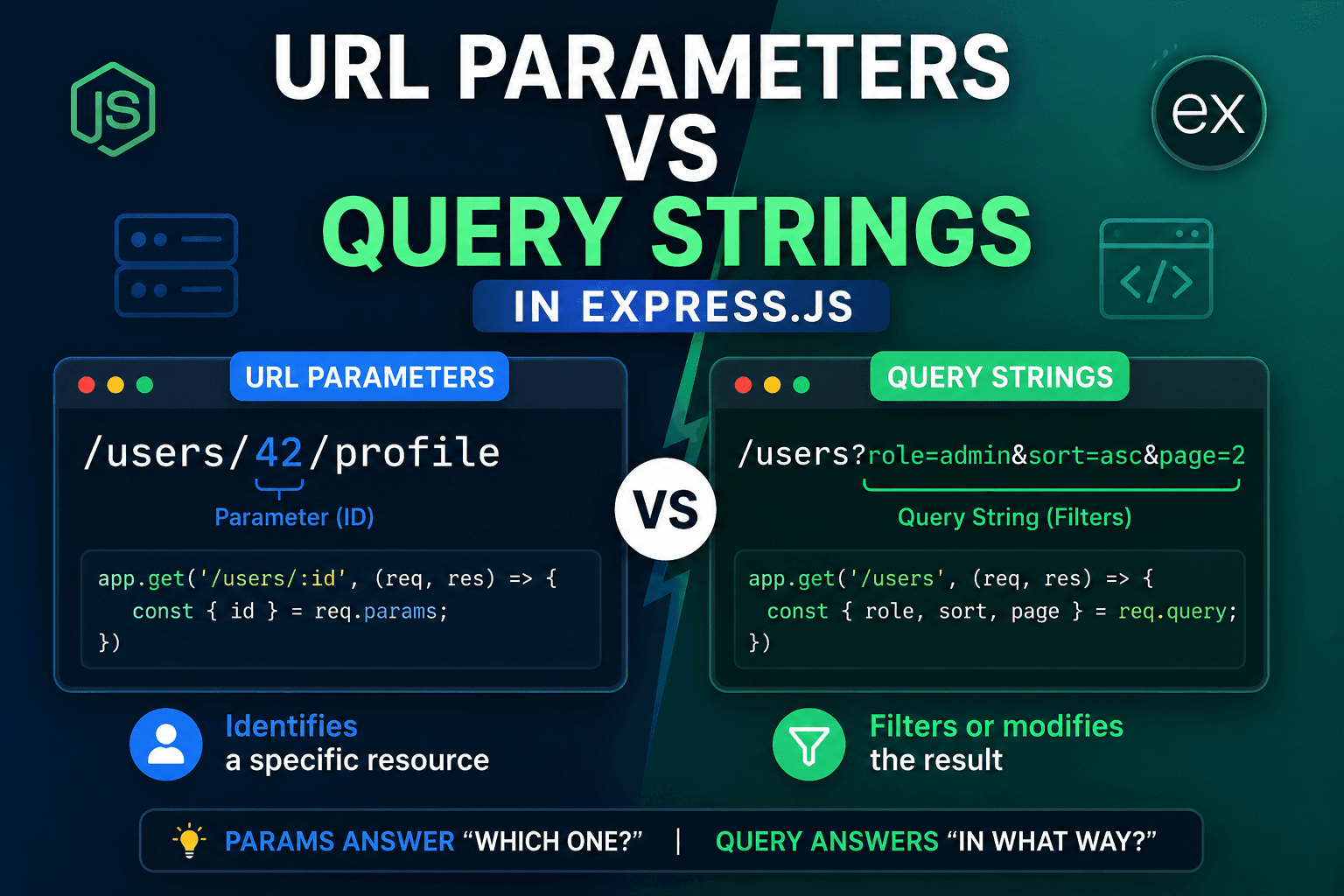
When we build APIs or web applications using Node.js and Express, URLs become an important part of how data moves between the client and the server. Two common concepts you will see in almost every backend project are URL parameters and query strings.
At first, both may look similar because they both send values through the URL. But in real-world development, they are used for different purposes. Understanding when to use each one makes your API cleaner and easier to understand.
Your reference explained this idea using a library example.
In this article, we will understand these concepts in a more practical way using different examples.
Understanding URL Structure
Take a look at this URL:
http://localhost:3000/products/25/reviews?page=2&sort=latest
This URL contains both route parameters and query strings.
Breakdown:
/products/25/reviews
This part is the route path.
25
This is a URL parameter because it identifies a specific product.
Now look at this part:
?page=2&sort=latest
These are query strings because they change how the data is returned.
The ? The symbol separates the main route from the query values.
What are URL Parameters?
URL parameters are values written directly inside the route path. They are mainly used to identify a specific resource.
For example:
/products/25
Here, 25 could represent the ID of a product.
Another example:
/students/102
This route refers to a particular student.
In Express.js, parameters are created using a colon :.
Example:
const express = require("express");
const app = express();

app.get("/students/:studentId", (req, res) => {
  res.send(req.params);
});

app.listen(3000);
If the user visits:
/students/102
The output will be:
{
  studentId: "102"
}
Express stores all route parameters inside:
req.params
Multiple URL Parameters
You can also use more than one parameter in the same route.
Example:
app.get("/courses/:courseId/lessons/:lessonId", (req, res) => {
  res.send(req.params);
});
Request:
/courses/12/lessons/5
Output:
{
  courseId: "12",
  lessonId: "5"
}
This is useful when one resource belongs to another resource.
What are Query Strings?
Query strings are optional values added after the ? symbol in a URL. They are mostly used for filtering, searching, sorting, or pagination.
Example:
/products?category=mobile
Here, we are requesting products, but only from the mobile category.
Another example:
/movies?year=2025&rating=8
This route asks for movies filtered by year and rating.
In Express.js, query strings are available inside:
req.query
Example:
app.get("/movies", (req, res) => {
  res.send(req.query);
});
Request:
/movies?year=2025&rating=8
Output:
{
  year: "2025",
  rating: "8"
}
Important Point About Query Values
Everything received from req.query is treated as a string.
Example:
app.get("/items", (req, res) => {
  const page = parseInt(req.query.page) || 1;

  res.send(`Current page: ${page}`);
});
Request:
/items?page=3
Output:
Current page: 3
Without parseInt(), the value would remain a string.
Difference Between Params and Query Strings
| URL Parameters | Query Strings |
|---|---|
| Part of the route | Added after ? |
| Used for identification | Used for filtering or modifying |
| Usually required | Usually optional |
Accessed with req.params |
Accessed with req.query |
| Helps find a specific resource | Helps customize results |
When Should You Use URL Parameters?
Use URL parameters when the value is necessary to identify something specific.
Example:
/orders/500
Without the order ID, the request does not make sense.
Express example:
app.get("/orders/:orderId", (req, res) => {
  res.send(`Order ID: ${req.params.orderId}`);
});
When Should You Use Query Strings?
Use query strings when the route can still work without the value.
Example:
/products?sort=price
Even without sorting, /products still works.
Another example:
/articles?tag=nodejs
This only filters articles by tag.
Express example:
app.get("/articles", (req, res) => {
  const tag = req.query.tag;

  res.send(`Filtering by tag: ${tag}`);
});
Combining Both Together
In real projects, both are often used in the same route.
Example:
app.get("/teachers/:teacherId/classes", (req, res) => {
  const teacherId = req.params.teacherId;
  const subject = req.query.subject;

  res.send({
    teacherId,
    subject
  });
});
Request:
/teachers/45/classes?subject=math
Output:
{
  teacherId: "45",
  subject: "math"
}
Here:
teacherIdidentifies the teachersubjectfilters the classes
Common Mistakes
Many beginners place filters inside the route path.
Wrong:
/products/electronics
This looks like electronics is a product ID or product name.
Better:
/products?category=electronics
Another example:
Wrong:
/news/latest
Better:
/news?sort=latest
Final Thoughts
URL parameters and query strings are both important parts of Express.js routing. Even though they look similar, their purpose is different.
URL parameters help identify a specific resource.
Query strings help modify or filter data.
A simple way to remember:
Params → Which item?
Query → How should the result look?