Understanding Network Devices, which helps us to use the internet
Overview
In today's discussion, we are going to discuss what networking devices we have to use to access the internet in a better and more efficient manner. Before we start today's discussion, we must know how the Internet actually works.
Internet
So basically, the Internet is a collection of interconnected networks. A network is a connection between multiple hosts (meaning computers, smartphones, or any electronic device that wants to send and receive digital data) for the purpose of sending and receiving data.

So, as we can see, to use the internet properly, we need some kind of connection. That means we need some devices to build that connection. So let’s go and check out all the Devices that are actually used to build that strong, robust connection.
Functions of Network Devices
It enables communication between multiple devices by transmitting and receiving data between devices.
It provides a secure and efficient connection between devices.
It improves the network performance.
It extends the range of the network.
Common Types of Network Devices:
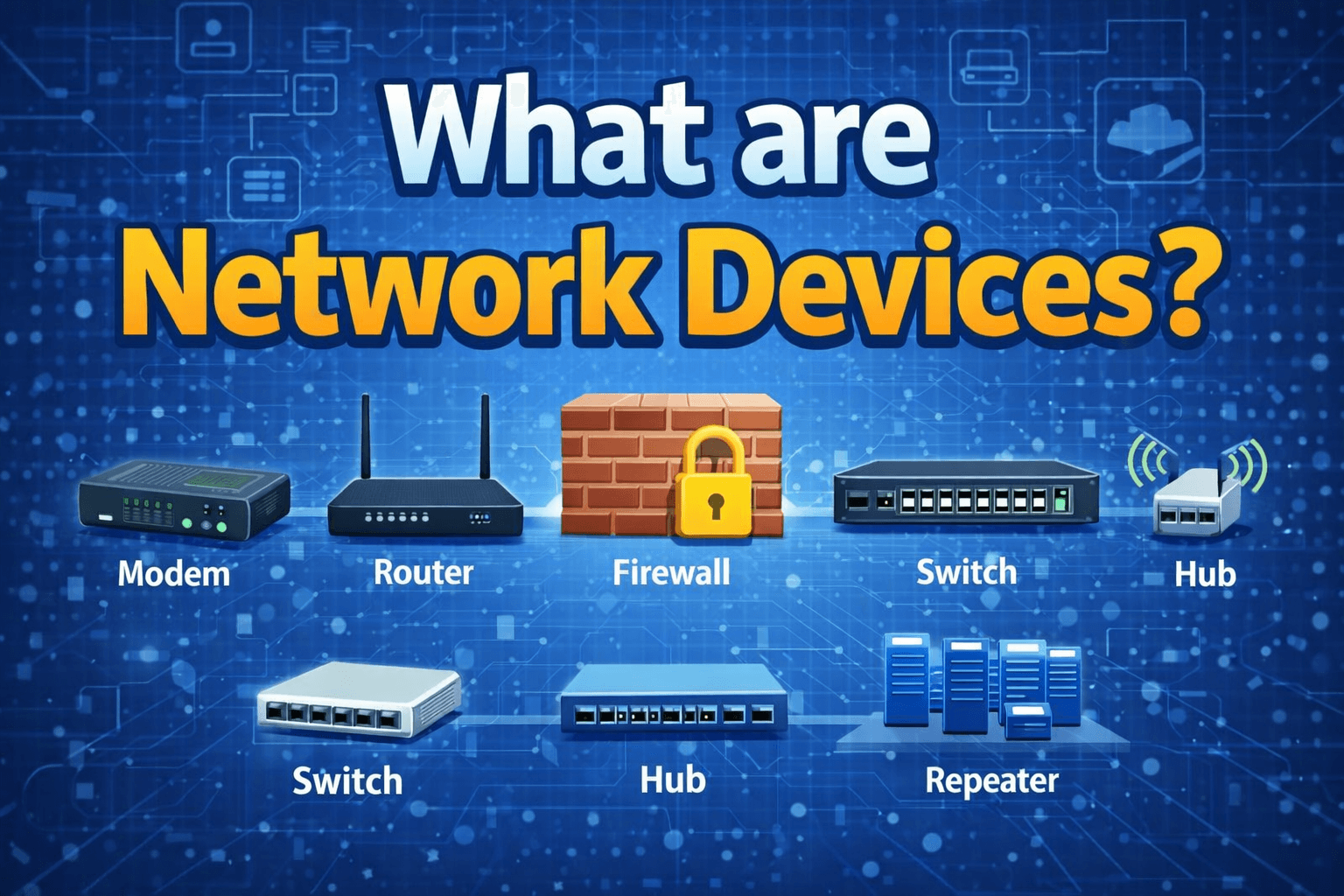
There are so many network devices avaiable but we are going to discuss the most commonly used network devices, which are:
Modem
Router
Switch
Hub
Repeater
Load Balancer
Modem
A modem (Modulator–Demodulator) is a device that connects us to the Internet. When devices are connected using a router and a switch to form a LAN (Local Area Network), the modem is the device that connects the router’s network to the Internet. The working of a modem is simple: it converts digital signals from our devices into a form suitable for transmission over the ISP’s physical medium and converts incoming signals back into digital form.

Hub
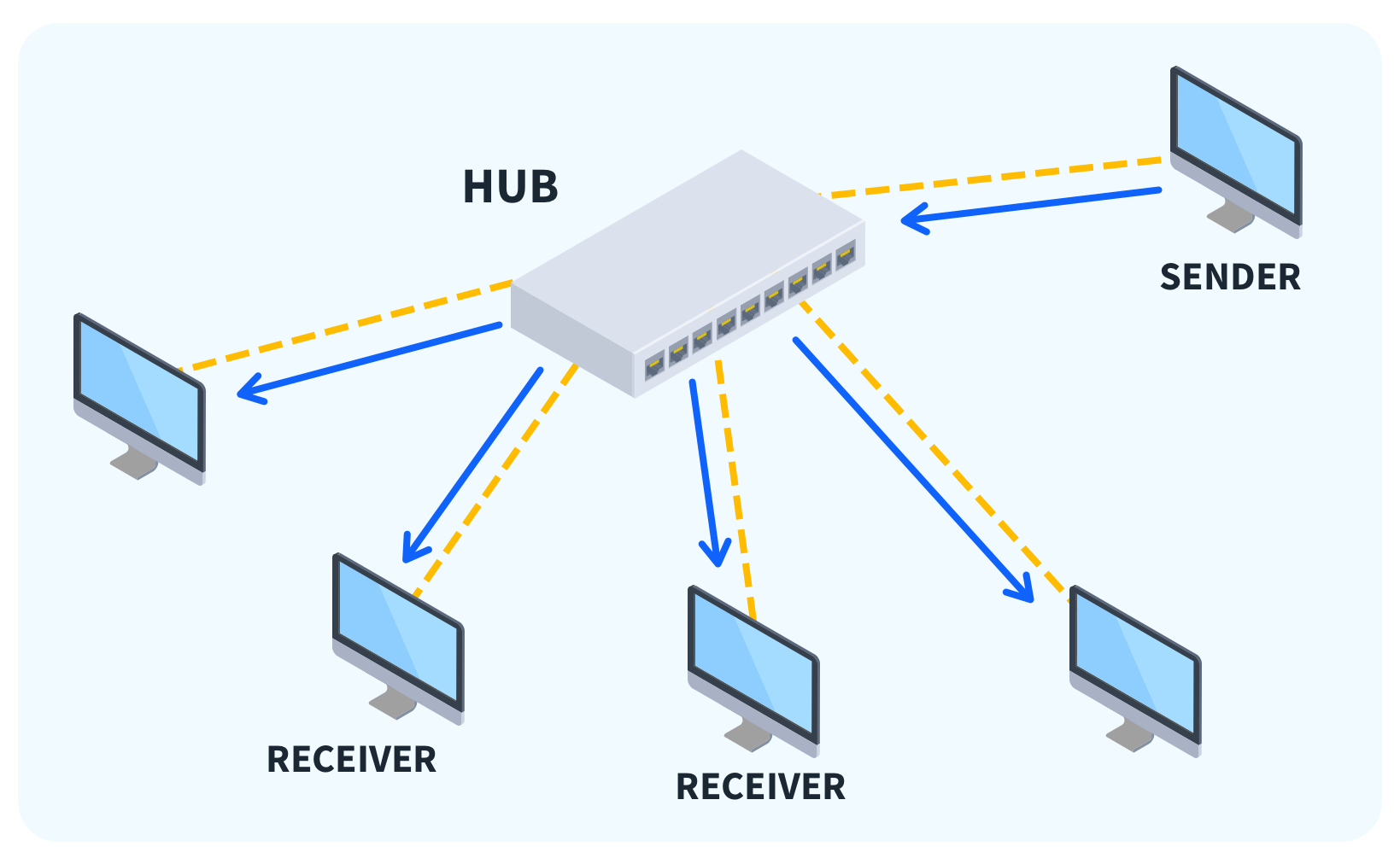
A hub is a very basic networking device that is used to connect multiple devices in a Local Area Network (LAN). Hub works like a loudspeaker in a room. A person speaks something on a mic, and everyone in the room can listen to it, whether they want to or not. This is also the most basic device in interworking because it does not store any information about the MAC (Media Access Control) or IP (Internet Protocol) address.
A sender sent some data.
Hub broadcast that data to all connected devices
Only the receiver accepts the data, and everyone else ignores that data.
Internal Components of a Hub
Port
Each device connects to a hub using a physical port.
All ports share the same communication channel.
Ports operate only in half-duplex mode.
Signal Repeater Circuit
Regenerates and amplifies incoming signals.
Does not inspect or analyze data.
Simply repeats the signal to every port.
Working
Step 1: Frame Arrival
A device sends a frame through a network cable.
The frame enters the hub through one port.
Step 2: Frame Reception
All connected devices receive the frame.
Only the device with the matching MAC address accepts the frame.
Other devices discard the frame.
Switches
This is also used in a Local Area Network to connect multiple devices, but it has a few more features than a hub. We can assume it is a telephone operator man. When you want to call a particular person, the operator connects your call to that person only. So unlike hub your data only goes to the receiver you want to send the data.
Internal component of the switch
Ports:
Each device connects to a switch port
Each port works as a separate path for communication.
Using this port, devices can communicate in full-duplex mode.
Content Addressable Memory (CAM)
MAC address table
Stores mapping for Devices MAC address with the port address.
created automatically by the switch.
    MAC Address        →  Port Number
    00:1A:2B:3C:4D:5E →  Port 3

Buffer Memory
Temporary storage for frames
Used when:
The destination port is busy
Speed mismatch between ports
Working
Step 1: Frame Arrival
A device sends a frame using a network cable.
From a specific port, the frame entered the Switch.
Step 2: MAC Learning
The switch reads the source MAC address from the frame header.
It stores this MAC address along with the incoming port number in its MAC (CAM) table.
This process is automatic and does not require configuration.
Step 3: Destination MAC
The switch checks the destination MAC address in the MAC table.
Case 1: Destination MAC is found
The switch forwards the frame only to the mapped port.
Other ports do not receive the frame.
Case 2: Destination MAC is not found
The switch temporarily floods the frame to all ports except the source port.
When the destination device replies, the switch learns its MAC address and updates the MAC table. and forwards the frame to that device.
Pros of a Switch
Smart device (uses MAC addresses)
Sends data only to the intended device
Very low collision rate
Full-duplex communication
Better security than the hub
High performance and speed
Efficient bandwidth usage
Scalable for large networks
Cons of a Switch
More expensive than hubs
Requires basic configuration (for advanced features)
Limited to local networks (LAN)

Repeater
Suppose we have a network where between 2 devices the distance between two devices is too long, then the signal strength got week, to solve that, we have a Repeater, which catches those weak or corrupted signals and regenrate to that signal into their original form before retransmitting them to the next devices. Unlike a traditional amplifier (which boosts both signal and noise), it only brings the signal to its original form.
Working of Repeaters
Initially, the source system transmits the signals. These source systems can be a laptop, desktop, mobile, or a radio.
This transmitted signal from the source system travels in the air if it's a wireless network or through the cable if it is a wired network. As the signal goes away from the source, it's strength gets weak.
The signal received by the repeater is not the actual signal sent by the source system, but a weak signal; the repeater amplifies this weak signal to make it strong.
The strengthened signal is now being sent from the repeater to its destination. This signal is stronger and can be transmited to longer distances. In short, it extends the network without losing the quality of signal.

Types of Repeaters
According to the functions and features, repeaters are divided into three types. They are as follows:
1. Based on Signal Type
According to the type of signal being generated by the Repeater they are classified as:
Analog Repeater: Analog repeaters are used to amplify only the analog signals. Analog repeaters receive the analog signal, amplify it, and then regenerate it as the output. Analog repeaters were mostly used in the older network technologies, where an analog signal was used.
Digital Repeater: Digital repeaters are the type of repeaters that do not amplify a digital signal but regenerate it directly. Digital repeaters are mostly used in modern technologies where digital signal is being used. Digital repeaters are also capable of reconstructing a distorted signal.
2. Based on Connection Type
Based on the type of network the repeaters can connect to, they are categorized as follows:
Wired Repeaters
Wireless Repeaters
Load Balancer
Assume we have some kind of server group which serve a product. But the question is why we need a group of servers because, there is no such server availabe which can server to soo many user at once, the server become overloaded and may crash, which can cause single point failure. To avoid that, we needa group of server.
Now the question is how users reach or access those groups of servers. Here come Load Balancer in the picture.
None of the user directly communicate with the server directly they just communicate with Load balancer, and this load balancer smartly redirect that request to multiple servers, so that the load does not go to a single server, which helps to build a scalable system.

Working of Load Balancer
Receives Incoming Requests: When a user makes a request, it goes to the load balancer first
Checks Server Health: Lead Balancer internally checks all server health at all times. Based on that data, it decides which server can handle that request now.
Distributes Traffic: Based on server load, the load balancer distributes requests to multiple servers.
Handles Server Failures: If a particular server goes down, the load balancer stops sending data to that particular server.
By using all this load balancer can build a highly scalable system that can handle millions of users.

Problems Without a Load Balancer
Single Point of Failure
Overloaded Servers
Limited Scalability

With Load Balancer
No single point failure
Higher uptime
No single server overload
Highly scalable system

Firewalls
A firewall is a network security device/software that works like a security gate between our device/network and the internet.
Its main job is to monitor and control incoming and outgoing traffic based on some rules. It actually works as a watchman which provide all time security to the private network.

How a Firewall Works
When any request comes from the internet, it does not directly go to the server. First, it goes to the firewall.
Internet → Firewall → Server / Internal Network
Firewall checks the packet details like:
source IP
destination IP
port number (80, 443, 22 etc.)
protocol (TCP/UDP)
Firewall already has some rules:
allow safe traffic (like 80 and 443)
block unsafe traffic (like unknown IP trying port 22)
If the request matches the allow rule, the firewall forwards it to the server.
If the request matches the block rule, the firewall stops it there.
That’s how a firewall protects the server as the first checkpoint.