String Polyfills and Common Interview Methods in JavaScript
Overview
Strings are simple from the outside, like a Computer, just a rectangular object, but from the inside, the story is completely different. We have CPU, GPU, motherboard & many more small size compononent which works together to make a computer functional. Strings are also similar.
What String Methods Are
In JavaScript, strings are primitive data types, but JavaScript allows us to use a few methods, like split(), toUpperCase(), includes(), trim(), replace(), etc. Because in JavaScript everything is wrapped around an Object, which means in JavaScript strings are a string object.
const message = "World is Beautiful, You should have eye to see it.";

console.log(message.toUpperCase()); // WORLD IS BEAUTIFUL, YOU SHOULD HAVE EYE TO SEE IT.
console.log(message.includes("Beautiful")); // true
console.log(message.slice(0, 5)); // World
String methods mostly do these few things
looks text - include, indexof
extract part of the text - slice, substring
transform text - split, trim, replace
compare text - localeCompare, ===
Note: Strings are immutable, because of that, trim and slice, etc., do not modify the original string it return a new string value.
let name="pallab"; // strings are immutable
let upperCaseName=name.toUpperCase(); //new string

console.log(name);
console.log(upperCaseName);
Why Developers Write Polyfills
In today's era, every programming language is evolving so fast, especially in web development, JavaScript is one of the fast moving language these days. Sometimes, the browsers are not adopting new features at that rapid speed. Due to this, sometimes newer JavaScript methods won't run in older browsers. To solve this, developers write custom logic for those particular unsupported methods.
Speciality of Polyfiles
Its implementation is the same as the original method introduced in the new version.
It tasks the same parameter, and the output is also the same as the original method.
For example, string has a method startsWith, a very commonly used method these days, but a few browser specially older onces does not support this feature; in that case, we have to write the polyfills
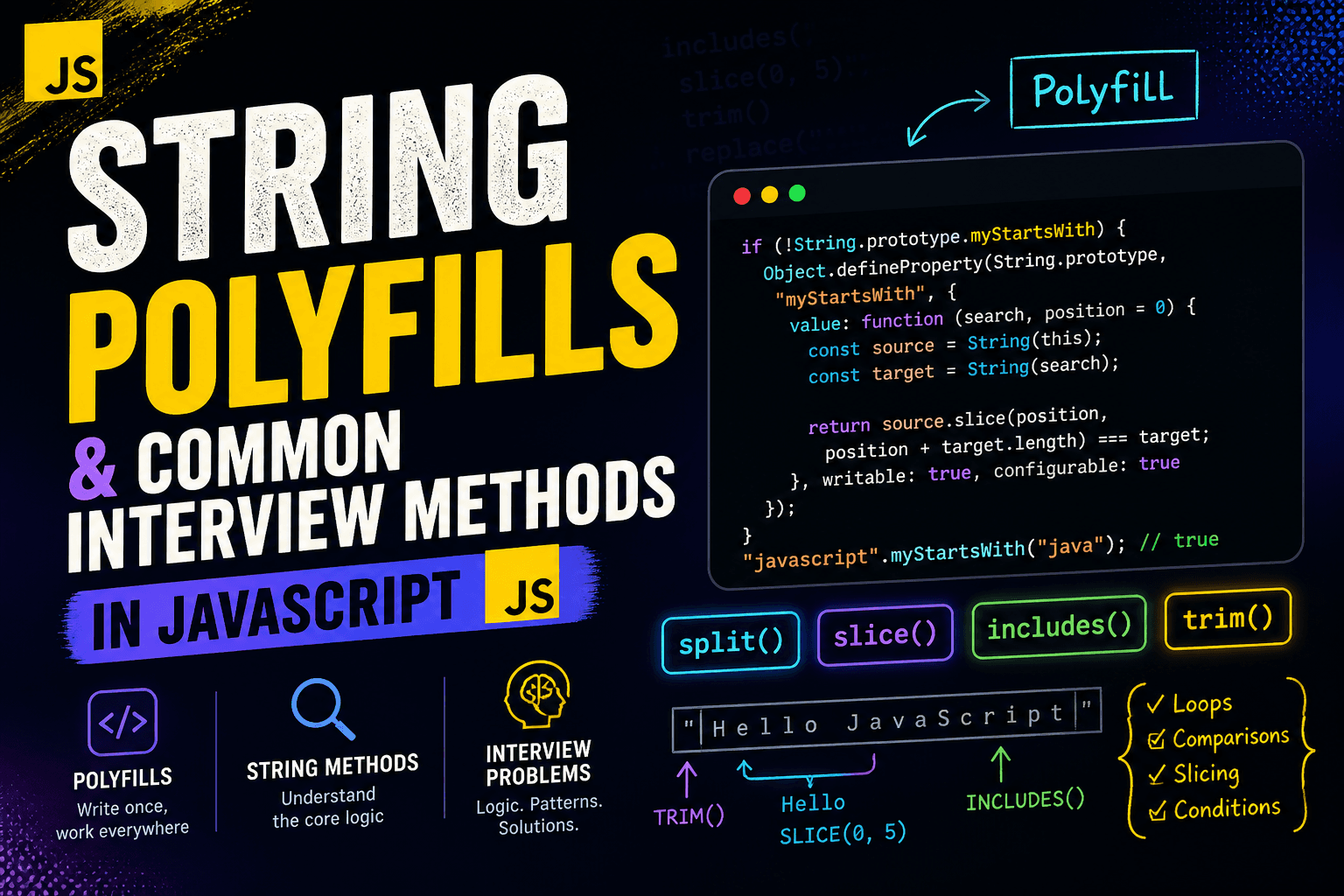
if (!String.prototype.myStartsWith) {
  Object.defineProperty(String.prototype, "myStartsWith", {
    value: function (search, position = 0) {
      const source = String(this);
      const target = String(search);

      return source.slice(position, position + target.length) === target;
    },
    writable: true,
    configurable: true,
  });
}

console.log("javascript".myStartsWith("java")); // true.
This is an example not fully following the specs given by the ECMAScript.
Working of Polyfils
It first checks whether the native method exists or not. if exists, it does not do anything, just returns; else, it just embeds the custom logic to support that native method.
While writing those polyfills, one thing that we as developers make sure that we are not just writing the logic, we also have to handle the edge cases, coercion, null, undefined, etc.
This is why a developer should understand built-in behavior.
How the built-in model works conceptually:
Built-in methods may look complex, but internally they are just simple logic.
Most of them use:
loops
index comparison
string slicing
conditions
For example, includes() can be thought of like this:
function myIncludes(main, search) {
  const source = String(main);
  const target = String(search);

  for (let i = 0; i <= source.length - target.length; i++) {
    if (source.slice(i, i + target.length) === target) {
      return true;
    }
  }

  return false;
}
This is the core idea behind many string methods.
Similarly:
trim()→ move from both ends until no spaceslice()→ return characters between indexessplit()→ break string using delimiterreplace()→ find and rebuild string
Once you understand this, built-ins stop feeling magical.
Implementing Simple String Utilities
To understand strings deeply, writing your own functions is very helpful.
Reverse a string:
function reverseString(text) {
  let result = "";

  for (let i = text.length - 1; i >= 0; i--) {
    result += text[i];
  }

  return result;
}
Capitalize the first letter:
function capitalize(text) {
  if (text.length === 0) return text;

  return text[0].toUpperCase() + text.slice(1);
}
Character frequency:
function charFrequency(text) {
  const freq = {};

  for (const char of text) {
    freq[char] = (freq[char] || 0) + 1;
  }

  return freq;
}
These build strong fundamentals.
Common Interview String Problems
String problems are very common in interviews because they test logic.
Palindrome check:
function isPalindrome(text) {
  let left = 0;
  let right = text.length - 1;

  while (left < right) {
    if (text[left] !== text[right]) return false;
    left++;
    right--;
  }

  return true;
}
Anagram check:
function areAnagrams(a, b) {
  if (a.length !== b.length) return false;

  const count = {};

  for (const char of a) {
    count[char] = (count[char] || 0) + 1;
  }

  for (const char of b) {
    if (!count[char]) return false;
    count[char]--;
  }

  return true;
}
First non-repeating character:
function firstUnique(text) {
  const freq = charFrequency(text);

  for (const char of text) {
    if (freq[char] === 1) return char;
  }

  return null;
}
These problems test your thinking, not just syntax.
Importance of Understanding Built-In Behavior
Knowing a method is not enough. You must know how it behaves.
Examples:
slice()supports negative index,substring()does notreplace()replaces only the first matchtrim()removes only start and end spacessplit("")may fail for complex Unicode
In interviews, questions are usually about behavior, not method names.
Focus on the Logic Behind Them
All string operations come down to:
iteration
comparison
boundary checking
returning new values
If you understand this, you can recreate any method.
Emphasize Interview Preparation
Best way to prepare:
First, solve using loops, Then solve using built-in methods. Compare both, and explain your logic clearly.
Interviewers care more about your thinking than your final code.
Final Thoughts
Strings are not just text. They are a combination of logic, rules, and behavior. Built-in methods are just optimized versions of simple logic. Polyfills help us understand that logic. Once you understand how things work internally, you stop memorizing and start reasoning. That is what makes a good developer.